WalletConnect Modal
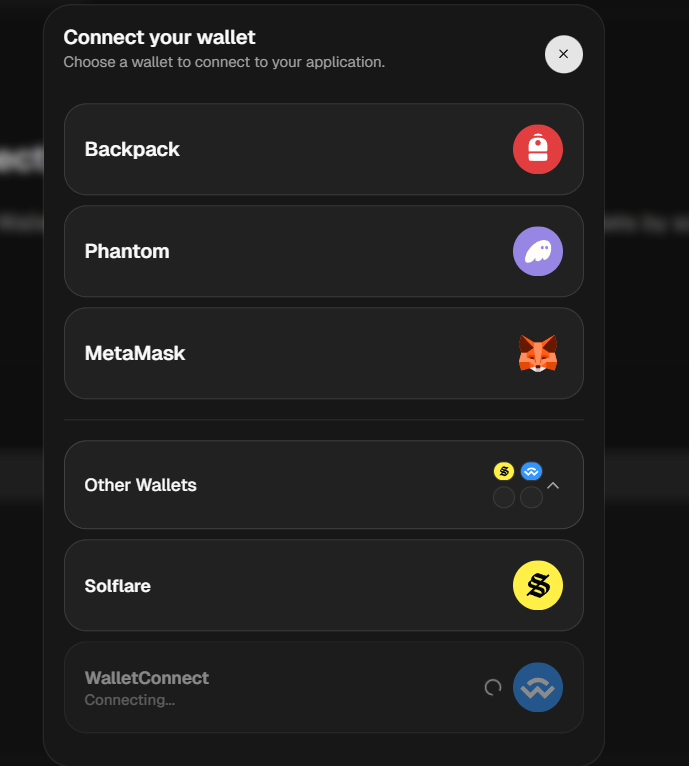
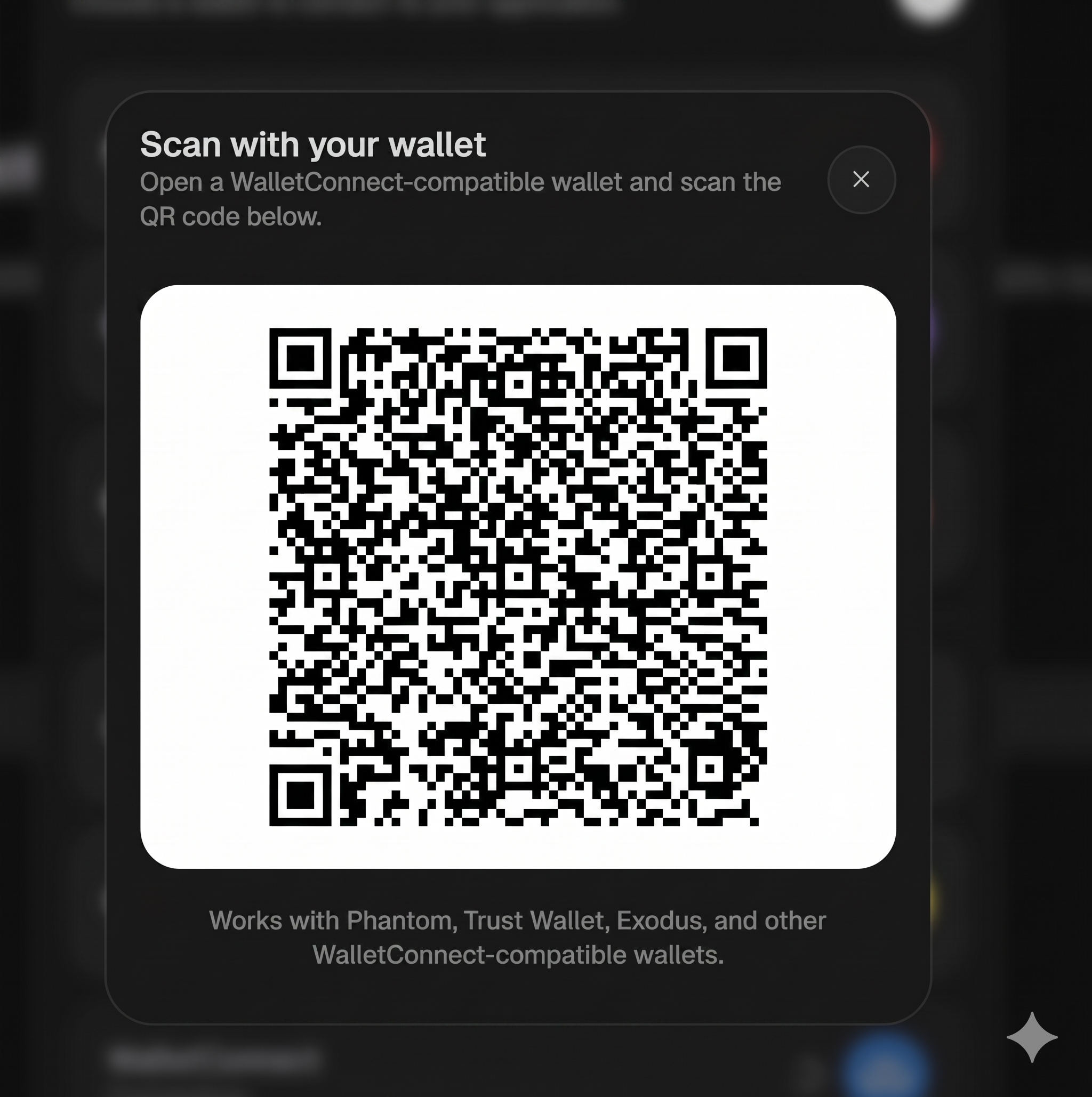
QR code modal for WalletConnect connections. Lets users connect mobile wallets by scanning a QR code.
Preview
Prerequisites
Requires connect-button and NitsoProvider to be set up first. If you haven't done that yet, follow the getting started guide.
Get a project ID
See the WalletConnect Solana documentation for more details.
Install dependencies
npm install @walletconnect/universal-provider qrcode.reactpnpm add @walletconnect/universal-provider qrcode.reactyarn add @walletconnect/universal-provider qrcode.reactbun add @walletconnect/universal-provider qrcode.reactAdd environment variable
WALLETCONNECT_PROJECT_ID=your-project-id
RPC_MAINNET=https://mainnet.helius-rpc.com/?api-key=your-key
RPC_DEVNET=https://devnet.helius-rpc.com/?api-key=your-keyVITE_WALLETCONNECT_PROJECT_ID=your-project-id
VITE_RPC_MAINNET=https://mainnet.helius-rpc.com/?api-key=your-key
VITE_RPC_DEVNET=https://devnet.helius-rpc.com/?api-key=your-keyEnable in NitsoProvider
"use client";

import { NitsoProvider } from "@/components/nitso/nitso-provider";

// ⚠️ Public RPC endpoints are rate limited and not suitable for production.
// Replace these with your own — get a free key at helius.dev, quicknode.com, or alchemy.com
const clusters = [
  {
    id: "solana:mainnet" as const,
    label: "Mainnet Beta",
    url: process.env.RPC_MAINNET!,
  },
  {
    id: "solana:devnet" as const,
    label: "Devnet",
    url: process.env.RPC_DEVNET!,
  },
  {
    id: "solana:testnet" as const,
    label: "Testnet",
    url: "https://api.testnet.solana.com",
  },
];

export function Providers({ children }: { children: React.ReactNode }) {
  return (
    <NitsoProvider
      appName="My App"
      appUrl="https://myapp.com"
      clusters={clusters}
      walletConnect={{
        projectId: process.env.WALLETCONNECT_PROJECT_ID!,
      }}
    >
      {children}
    </NitsoProvider>
  );
}
Then use it in your root layout:
import { Providers } from "./provider";

export const metadata = {
  title: "My App",
};

export default function RootLayout({
  children,
}: {
  children: React.ReactNode;
}) {
  return (
    <html lang="en">
      <body>
        <Providers>{children}</Providers>
      </body>
    </html>
  );
}import { NitsoProvider } from "@/components/nitso/nitso-provider";
// ⚠️ Public RPC endpoints are rate limited and not suitable for production.
// Replace these with your own — get a free key at helius.dev, quicknode.com, or alchemy.com
const clusters = [
{
id: "solana:mainnet" as const,
label: "Mainnet Beta",
url: import.meta.env.VITE_RPC_MAINNET,
},
{
id: "solana:devnet" as const,
label: "Devnet",
url: import.meta.env.VITE_RPC_DEVNET,
},
{
id: "solana:testnet" as const,
label: "Testnet",
url: "https://api.testnet.solana.com",
},
];
createRoot(document.getElementById("root")!).render(
<StrictMode>
<NitsoProvider
appName="My App"
appUrl="https://myapp.com"
clusters={clusters}
walletConnect={{
projectId: import.meta.env.VITE_WALLETCONNECT_PROJECT_ID,
}}
>
<App />
</NitsoProvider>
</StrictMode>,
);Try the Demo
Once your NitsoProvider is configured with a WalletConnect project ID, install the demo to see it working immediately:
npx shadcn@latest add https://nitso.fun/r/wallet-connect-modal-demo.jsonpnpm dlx shadcn@latest add https://nitso.fun/r/wallet-connect-modal-demo.jsonyarn dlx shadcn@latest add https://nitso.fun/r/wallet-connect-modal-demo.jsonbunx --bun shadcn@latest add https://nitso.fun/r/wallet-connect-modal-demo.jsonThis installs wallet-connect-modal-demo.tsx into your components/ folder. Drop it anywhere:
import { WalletConnectModalDemo } from "@/components/wallet-connect-modal-demo";

export default function Page() {
  return <WalletConnectModalDemo />;
}
Delete it when you're ready to wire things up yourself.
Installation
npx shadcn@latest add https://nitso.fun/r/wallet-connect-modal.jsonpnpm dlx shadcn@latest add https://nitso.fun/r/wallet-connect-modal.jsonyarn dlx shadcn@latest add https://nitso.fun/r/wallet-connect-modal.jsonbunx --bun shadcn@latest add https://nitso.fun/r/wallet-connect-modal.jsonInstall dependencies
npm install @walletconnect/universal-provider qrcode.reactpnpm add @walletconnect/universal-provider qrcode.reactyarn add @walletconnect/universal-provider qrcode.reactbun add @walletconnect/universal-provider qrcode.reactInstall shadcn UI components
npx shadcn@latest button dialogpnpm dlx shadcn@latest button dialogyarn dlx shadcn@latest button dialogbunx --bun shadcn@latest button dialogCopy the source code
"use client";import { useConnector } from "@solana/connector/react";import { X } from "lucide-react";import { QRCodeSVG } from "qrcode.react";import { useCallback, useEffect } from "react";import { Button } from "@/components/ui/button";import { Dialog, DialogClose, DialogContent, DialogDescription, DialogHeader, DialogTitle,} from "@/components/ui/dialog";export function WalletConnectModal() { const { walletConnectUri, clearWalletConnectUri, disconnectWallet, isConnecting, isConnected, } = useConnector(); const isOpen = !!walletConnectUri; const handleClose = useCallback(() => { clearWalletConnectUri(); disconnectWallet().catch(() => {}); }, [clearWalletConnectUri, disconnectWallet]); useEffect(() => { if (!isConnecting && !isConnected && walletConnectUri) { handleClose(); } }, [isConnecting, isConnected, walletConnectUri, handleClose]); return ( <Dialog open={isOpen} onOpenChange={(open) => { if (!open) handleClose(); }} > <DialogContent className="rounded-3xl sm:max-w-sm [&>button]:hidden"> <DialogHeader className="flex flex-row items-center justify-between"> <div> <DialogTitle>Scan with your wallet</DialogTitle> <DialogDescription className="text-muted-foreground mt-0.5 text-xs"> Open a WalletConnect-compatible wallet and scan the QR code below. </DialogDescription> </div> <DialogClose asChild> <Button variant="outline" className="size-8 shrink-0 cursor-pointer rounded-2xl p-2" onClick={handleClose} > <X className="size-3" /> </Button> </DialogClose> </DialogHeader> <div className="space-y-4 py-2"> <div className="flex justify-center rounded-2xl bg-white p-4"> {walletConnectUri ? ( <QRCodeSVG value={walletConnectUri} size={240} level="M" marginSize={1} /> ) : ( <div className="flex h-60 w-60 items-center justify-center"> <div className="border-muted-foreground h-8 w-8 animate-spin rounded-full border-2 border-t-transparent" /> </div> )} </div> <p className="text-muted-foreground text-center text-xs"> Works with Phantom, Trust Wallet, Exodus, and other WalletConnect-compatible wallets. </p> </div> </DialogContent> </Dialog> );}Wiring
Update the file where you use <ConnectButton /> (e.g. your header or layout):
Before:
import { ConnectButton } from "@/components/nitso/connect-button/";

export function Header() {
  return (
    <nav>
      <ConnectButton />
    </nav>
  );
}
After:
import { ConnectButton } from "@/components/nitso/connect-button/";
import { WalletConnectModal } from "@/components/nitso/addons/wallet-connect-modal/";

export function Header() {
  return (
    <nav>
      <ConnectButton />
      <WalletConnectModal /> // [!code ++]
    </nav>
  );
}
The modal is self-contained — it reads the WalletConnect URI from NitsoProvider context automatically and opens when a user selects "WalletConnect" from the wallet list. Just mount it anywhere in the component tree.
Props
WalletConnectModal has no props. It connects directly to the NitsoProvider context and manages its own open/close state based on the WalletConnect URI.